Request signature
The request method opens built-in transaction screens for signing transactions.
The method returns a SignResponse?.
Use it to sign transactions on any EVM chain.
You can white-label the screens to match your branding.
See the list of JSON-RPC methods.
The request method currently supports only signing methods.
The SDK retrieves chain configuration automatically from your project settings in the Embedded
Wallets dashboard.
If the dashboard response has no chains field, the SDK uses the chains you pass in
Web3AuthOptions.
Wallet Services open on the first chain in the list.
The user must be signed in.
The method throws an error if no user is signed in or if no chains are configured.
It returns nil if the user closes the request screen without completing it.
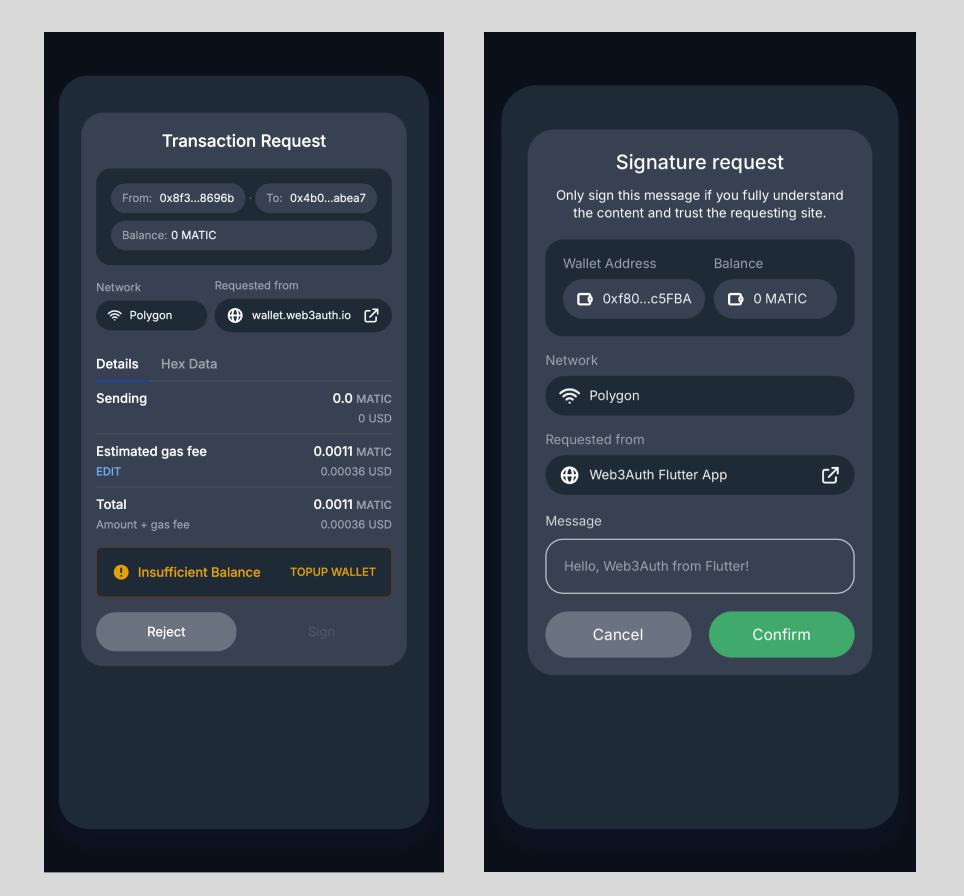
Parameters
| Parameter | Description |
|---|---|
method | JSON RPC method name in String. Currently, the request method only supports the signing methods. |
requestParams | Parameters for the corresponding method, in the correct sequence. See JSON-RPC methods for details. |
path? | Path in the wallet WebView. The default is "wallet/request". |
appState? | Optional app state string to be passed through the request flow. |
Usage
do {
    var params = [Any]()
    // Message to be signed
    params.append("Hello, Web3Auth from iOS!")
    // User's EOA address
    params.append(address)

    let response = try await web3Auth.request(
        method: "personal_sign",
        requestParams: params
    )

    if let response = response {
        if response.success {
            print(response.result!)
        } else {
            // Handle Error
            print(response.error!)
        }
    }
} catch {
    print(error.localizedDescription)
    // Handle error
}
SignResponse
| Name | Description |
|---|---|
success | Whether the request succeeded. |
result? | Holds the signature for the request when success is true. |
error? | Holds the error for the request when success is false. |